Introduction
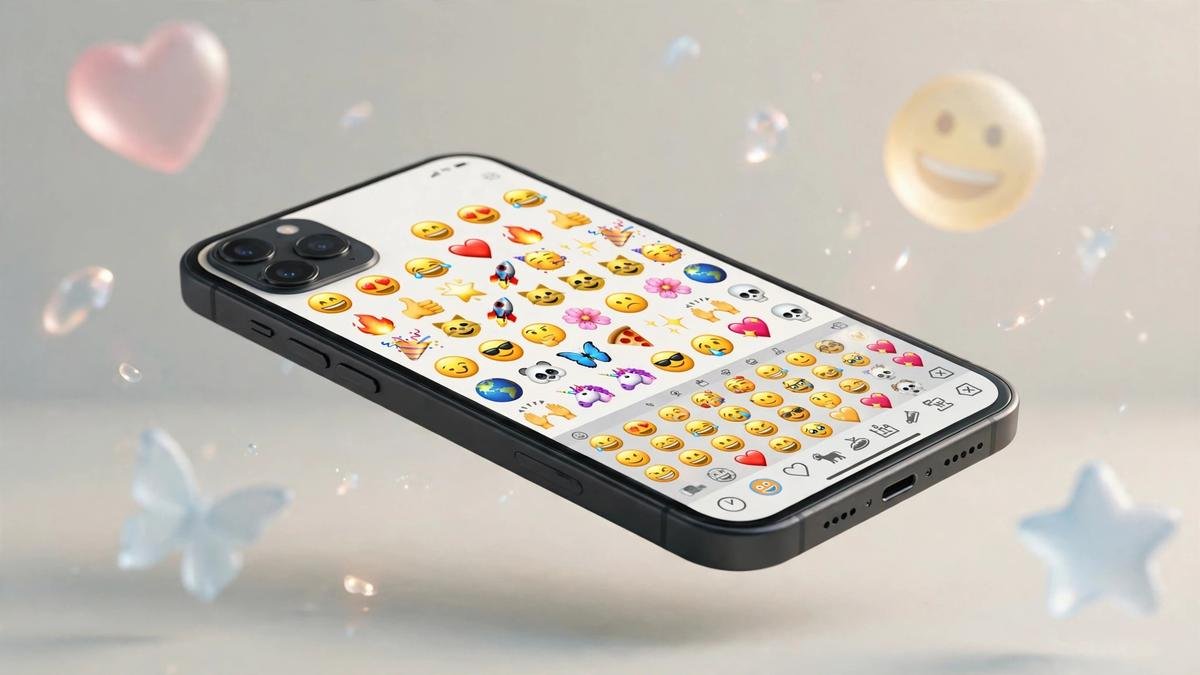
Picture this. A friend sends you a funny text, and you want to reply with a laughing face. But your phone keyboard shows only letters. Where are the emojis? The answer is the emoji keyboard, a feature already hiding on your phone. Millions of people miss it, for instance, especially after buying a new phone or installing an update.
An emoji keyboard lets you type emojis instead of letters. Most phones and computers already have one built in. On some devices you tap a smiley face button. On others, though, you turn it on in settings first. Either way, it takes less than a minute.
These keyboards are popular because emojis add feeling to words. A plain “thanks” can feel cold. “Thanks 😊” feels warm and kind. People use them daily to joke, flirt, and show love. In fact, a heart means the same thing in every country, so emojis cross language barriers too.
Every device has its own version: iPhone, Android, Samsung, and Windows PC all support emojis. The steps differ slightly, so this guide shows you how on each one.
What Is an Emoji Keyboard?
An emoji keyboard lets you insert emojis into messages. It works like your normal keyboard, but the keys show pictures instead of letters. For example, tap a face or heart, and it appears in your text.
There are two types. First, a built-in emoji keyboard comes with your device, so you install nothing. Second, a third-party one is an app you download, like Facemoji, adding extra themes and stickers.
Most people stick with the built-in option because it is free, fast, and private. Third-party apps can be fun, but some collect your typing data. Therefore, check permissions before installing one.
Different Emoji Keyboards
Not all emoji keyboards look or act the same. Here are the main types.
General Emoji Keyboard
The general emoji keyboard is the default one on your phone. Tap the smiley face icon to open it. It shows categories like smileys, animals, and food. In addition, you can search by typing a word.
iPhone Emoji Keyboard
The iPhone emoji keyboard comes pre-installed on every iPhone and iPad. Tap the smiley face or globe icon to open it. If the icon is missing, however, add Emoji under Settings, General, Keyboard.
Android Emoji Keyboard
The Android emoji keyboard usually comes from Gboard, Google’s free keyboard app. Tap the smiley face icon to open it. It shows your most used emojis first. In addition, Emoji Kitchen lets you mix two emojis into stickers.
Samsung Keyboard
Samsung phones use the Samsung Keyboard instead of Gboard. Tap the smiley face icon to open the emoji panel. Samsung emojis have a rounder style, so many users switch to Gboard for its better search.
Social Media Emoji Keyboard
Social media apps have their own emoji pickers inside the app. When you write a comment or caption, for instance, tap the emoji button near the text box for emojis, stickers, and GIFs.
Text Message Emoji Keyboard
The text message emoji keyboard is the one inside SMS and chat apps, usually your phone’s built-in keyboard. Long-press the smiley icon, for example, to jump between emoji, GIF, and sticker tabs.
Workplace Emoji Keyboard
Workplace apps like Slack and Teams have their own emoji panels. People mostly use calm emojis here, like the thumbs up and check mark. On a computer, for instance, open the panel with a shortcut key.
Desktop Emoji Keyboard
Desktop computers support emojis too. On Windows, for example, press the Windows key plus period. On Mac, press Control, Command, and Space. Finally, click any emoji in the panel to paste it into your text.
When Should You Use an Emoji Keyboard?
An emoji keyboard shines in everyday moments. Here are the most common ones:
- Adding warmth when texting friends and family.
- Answering jokes with a single laughing face.
- Softening an apology with a pleading face.
- Celebrating good news with party poppers.
- Showing love with hearts, kisses, and hugging faces.
- Reacting to photos without typing a comment.
Use emojis when they make a message clearer or kinder, and learn the text meaning of each one first. Still, skip them in formal emails.
Emoji Keyboards for Girls

Many girls love cute, aesthetic emoji keyboards with pastel themes and glitter effects. Kaomoji keyboards are a big hit too, with sweet faces like (◕‿◕) made from text symbols.
Sticker packs with animals, bows, and hearts are favorites. For example, top picks include 🥰, 🌸, ✨, 💗, and 🤗.
Emoji Keyboards for Guys
Guys often prefer bold, dark, or sporty themes with neon colors and gaming styles. In fact, quick GIF and meme access matters too, since a funny GIF can win any group chat.
Favorites include 🔥, 💀 for jokes, 😎, 💪, and 🚀. SwiftKey is popular because it suggests the right emoji before you search.
Emoji Keyboard on Snapchat
Snapchat has emoji tools built in. In chats, for example, tap the smiley face icon by the text box to open the picker. After taking a snap, tap the sticker icon to place emojis on your photo.
Link your Bitmoji to unlock hundreds of personal stickers that look like you. Snapchat also shows friend emojis, like 🔥 for streaks and 💛 for best friends, next to names.
Emoji Keyboard on WhatsApp
WhatsApp emojis are easy to find. Open any chat and tap the smiley face icon beside the message box. You will see tabs for emojis, GIFs, and stickers. Type a word like “happy”, for instance, to search.
WhatsApp uses its own emoji design, so emojis look the same on every phone. In addition, tap and hold an emoji for skin tones, or double-tap a message to react.
Emoji Keyboard on Instagram
Instagram emojis live in comments, captions, DMs, and stories. Tap the emoji icon while typing. In stories, for example, use the sticker menu for emoji sliders, polls, and questions.
Emojis bring captions to life: a travel photo pops with ✈️🌊🌴. Many creators add emojis to their bio. In DMs, for instance, you can double-tap a message to send a heart.
Emoji Keyboard on TikTok
TikTok has a built-in emoji picker for comments and captions. Tap the emoji icon while writing. Secret TikTok emojis also exist: type [smile] in brackets to unlock special faces.
In captions, emojis highlight key words and add personality. Note, however, that bracket-code emojis only work inside TikTok.
Emoji Combinations
Emoji combinations mix two or more emojis into a brand-new meaning. They are fun and, as a result, very popular in texts and captions.
| Emoji Combination | Meaning |
|---|---|
| 🍕❤️ | I love pizza |
| 🌙✨ | Good night |
| 🎂🎉 | Happy birthday |
| ☕🌧️ | Cozy rainy day |
| 🏖️☀️ | Beach vacation |
| 😭😂 | Laughing too hard |
| 👀🍿 | Watching the drama |
| 💪🔥 | Stay motivated |
| 🌹❤️ | Sending love |
| 🍀🤞 | Good luck |
| 🎧🎶 | Music time |
| 👻🎃 | Halloween fun |
| ❄️🎄 | Winter holidays |
| ✈️📸 | Travel adventure |
| 🐶❤️ | Love my dog |
Copy and Paste Emoji Keyboard Emojis
Here are the most popular emojis for quick copy and paste emoji use. Copy any emoji and paste it anywhere.
😀 Copy
😂 Copy
😍 Copy
🥰 Copy
😎 Copy
😭 Copy
😊 Copy
❤️ Copy
🔥 Copy
✨ Copy
👍 Copy
🙏 Copy
Similar Emojis
Some emojis look alike but carry different emoji meanings. This table helps you pick the right one.
| Emoji | Name | Meaning | Difference |
|---|---|---|---|
| 😊 | Shy smile | Warm, happy | Softer than 😀 |
| 😀 | Big grin | Happy, excited | Bolder than 😊 |
| 😂 | Tears of joy | Laughing hard | Laughter, not sadness |
| 😭 | Loud crying | Very upset | Real tears, unlike 😂 |
| ❤️ | Red heart | Love, romance | The classic love heart |
| 🧡 | Orange heart | Friendly care | Casual, less romantic |
| 👍 | Thumbs up | Approval, yes | Positive, opposite of 👎 |
| 👎 | Thumbs down | Disapproval, no | Negative, opposite of 👍 |
| 🔥 | Fire | Hot, exciting | Trendy hype |
| ✨ | Sparkles | Pretty, magical | Soft shine |
Emoji Appearance Across Platforms
The same emoji can look different on each platform. Here is what to expect.
Apple
Apple emojis have a glossy 3D style with smooth shading. They look polished. In fact, Apple refreshes them with each iOS update.
Android
Google’s Android emojis use a flat, modern style with bold outlines that stay easy to read at small sizes.
Samsung
Samsung emojis have a rounder, cartoon-like style with friendlier faces, tweaked in One UI updates.
Windows
Windows emojis use Microsoft’s playful 3D Fluent style, redesigned a few years ago to look softer.
Facebook emojis have a bright cartoon style across Facebook and Messenger, plus animated reactions like the Like thumbs up.
WhatsApp uses its own custom emoji set on all devices, so an emoji looks the same on iPhone and Android.
Fun Facts
- Emoji comes from Japanese: “e” means picture, “moji” means character.
- The first emojis were made in Japan in 1999 by Shigetaka Kurita.
- The iPhone emoji keyboard was once hidden, meant only for Japan.
- July 17 is World Emoji Day, the date on the 📅 emoji.
- The 😂 face was the most used emoji in the world for many years.
- Over 3,800 emojis exist in the Unicode standard.
- Billions of emojis are sent on Messenger every single day.
- New emojis are approved once a year by the Unicode Consortium.
Common Mistakes
The biggest mistake is installing random third-party keyboards because some can read everything you type, including passwords. Only download from trusted developers.
Another mistake is thinking the keyboard is gone when it is just turned off. On iPhone, for instance, add it again in Settings. On Android, make sure Gboard is active.
People also mix up meanings: some readers see 😭 as real crying, not laughter. When in doubt, use 😂 for jokes. Finally, keep it to three to five emojis per message.
Frequently Asked Questions
How do I get emoji keyboard on iPhone?
Open Settings, tap General, then Keyboard, then Keyboards. Tap Add New Keyboard and choose Emoji. Now open any app where you type, and tap the smiley face or globe icon. Finally, the emoji panel will appear with every category ready to use.
Why is my emoji keyboard missing?
It is probably turned off, not gone. On iPhone, for example, add it again under Settings, General, Keyboard, and Keyboards. On Android, check that Gboard is your active keyboard and tap the smiley icon. Software updates can reset keyboard settings, so check them after every update.
How do I get emoji keyboard on Android?
Most Android phones use Gboard. Open any typing app and tap the smiley face icon. If Gboard is missing, install it free from the Play Store. Then set it as your default keyboard in Settings under System and Languages. Finally, your emoji panel is one tap away.
How do I get emojis on Windows PC?
Press the Windows key and the period key together. An emoji panel pops up over your screen. Click any emoji to insert it into emails, documents, or chats. Type a word like “heart”, for instance, to search. Finally, press Escape to close the panel when done.
How do I get emojis on Mac?
Press Control, Command, and the Space bar at the same time. The Character Viewer opens with emojis and symbols. Double-click any emoji to insert it where you type. For example, you can also open the Edit menu in most apps and choose Emoji and Symbols.
Are third-party emoji keyboards safe?
Some are safe and some are not. Trusted apps like Gboard and SwiftKey come from large companies with clear privacy rules. Avoid unknown keyboard apps, since a keyboard can see everything you type. Read reviews first. Finally, never use a shady keyboard for banking or passwords.
Why do emojis look different on my friend’s phone?
Each company draws its own emoji art. Apple, Google, Samsung, Microsoft, and WhatsApp all design the same Unicode emoji in their own style. The meaning stays the same, but the pictures change. As a result, a grin can look cute on one phone and odd on another.
How do I get new emojis on my keyboard?
New emojis arrive through software updates. On iPhone, for instance, install the latest iOS version. On Android, update your system software and Gboard from the Play Store. New emojis then appear in your keyboard automatically, with no separate download needed in most cases.
Conclusion
An emoji keyboard is a small tool that changes how you talk every day. Whether on iPhone, Android, or PC, emojis are always one tap away, and now you know how to find them. Related guides: 200+ Cute Emojis to Copy and Paste (Aesthetic & Kawaii) and Copy and Paste Emojis: The Complete List for 2026.
Start with the built-in option before trying anything fancy because it is free, private, and full of emojis. Match your emojis to the moment, and your messages will always land well. Finally, to explore the full official list, visit the complete emoji library. Emojipedia

I am Lily Collins, an emoji enthusiast and writer at Emojipedias.com, sharing simple emoji meanings, creative combinations, and helpful tips to make your digital conversations more fun and expressive.



1 thought on “Emoji Keyboard 2026: How to Get Emojis on iPhone, Android & PC”